Peer Review on Word Instruction Set
Filed in Teaching with Technology Portfolio
Part of teaching effective file management with peer review is showing students how to make use of Microsoft Word's powerful Review features. From my experience, most students are more familiar with Google Docs's similar features by contrast, but since I require students to use Word (given that it is the most common word processor they are likely to encounter in the workplace), students need to learn how to use Word effectively.
I do demonstrate in class how to make use of Word's Review features. But I also created an instruction set (with images) that walks students step by step through the use of these features. I use Canvas Pages to host the instruction set, which allows it to be easily linked to throughout Canvas itself.
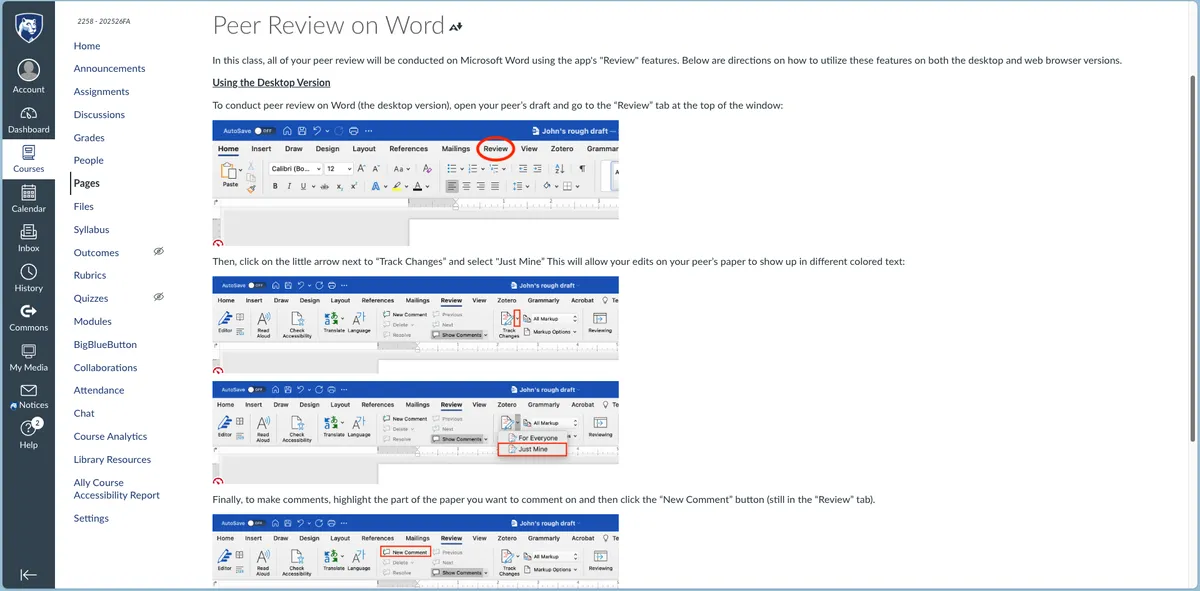
Importantly, I include instructions for both the browser and desktop versions of Word—which is a distinction that students today are not usually invited to make. It is important to note the distinction, however, because—to my continual frustration—the way Word looks and operates is different according to which version of the application you use.
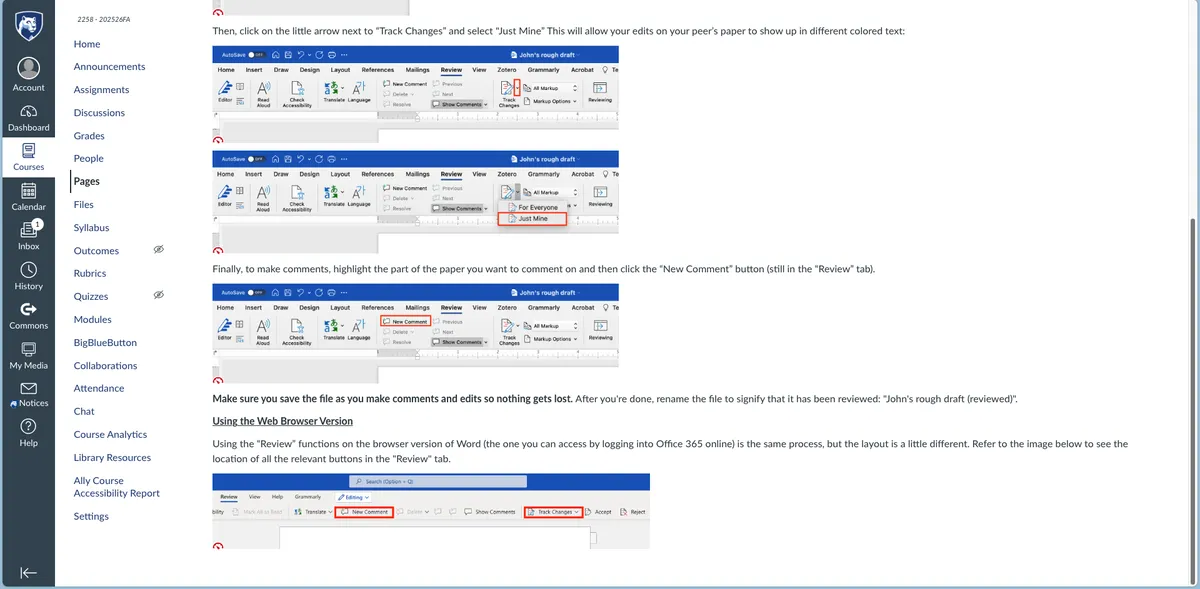
I'm not sure how often students in my courses have used this resource, and frankly, I'd guess that they don't look at it too much. And if they did refer to it, it would be hard for me to know that anyway; if an instruction set does its job, its writer never gets feedback. But the page nonetheless provides some teaching of technology that is broadly valuable for students as they move on through and beyond the course.